
From Bit to It
Video games, best buds, and monkeyshines

Baby Bits
“Rohan, this is Sushant, he just moved here from India. He’s five, just a little older than you, but why don’t you go upstairs and show him your room and make him feel at home?”
My mom shooed me and Sushant upstairs so that she could continue to play host. My parents often threw parties like this, and normally there would be at least a few children for me to play with, but today there were no other kids except for Sushant.
I scowled a bit and gave him a perfunctory tour of my room like a spoiled prince, “These are my board games and this is my bunk bed.” I gestured toward the television set, “That’s my Super Nintendo, you know, to play video games.”
He stared at the console without blinking.
“You do know what video games are right?”, I asked smugly.
Sushant smiled slyly, “Oh yes.”
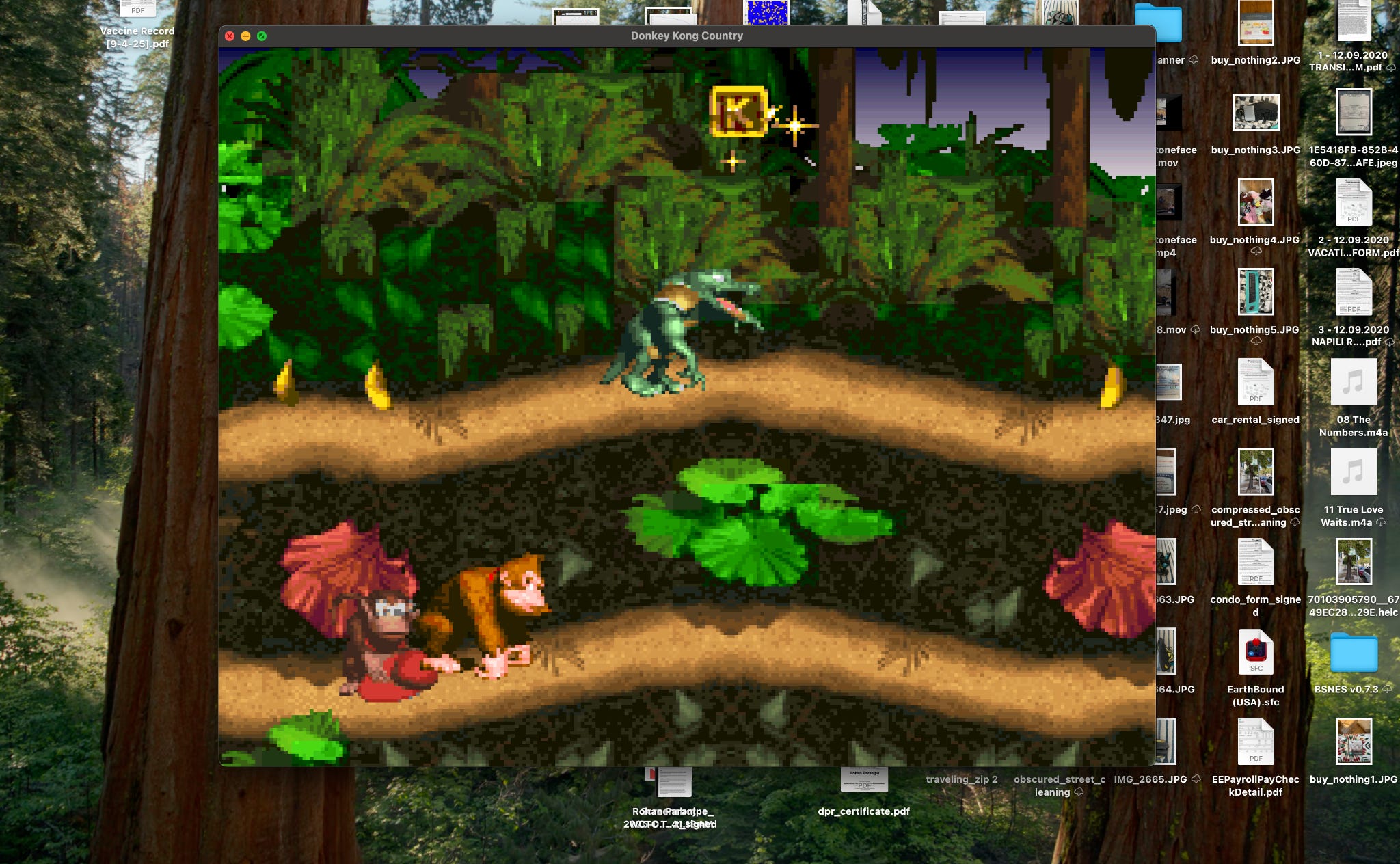
We put on Donkey Kong Country and an hour later we were best friends for the rest of time and the universe eternal.
One day a few years later, long after our gaming consoles had stopped working from dust, cheeto-dust covered controllers, and general misuse (did I once try to insert a CD-ROM into the Nintendo?), Sushant was showing me something new on his PC.
“Look dude, this is called an emulator. It can play any of the games we played growing up.”
He booted up the program SNES9x and Donkey Kong Country flickered to life on the computer screen, with the original graphics and sound in their full glory. He handed me a controller he had connected to the computer’s USB port, “Wanna play?”
After I came home that day I had a niggling feeling in the back of my mind. I was absolutely flabbergasted by the existence of this technology and my main question was “How did it work?” I knew in principle how something like a computer could play a video with graphics and sound (although this was in the age before YouTube), but I didn’t quite understand how the emulation software worked. Did someone handcraft Donkey Kong for the emulator? Did they have to code it from scratch so that it could run on a computer? But then how was there such a large repository of available games, would someone have to do this for every single Super Nintendo game that existed? And if that was the case, how was the game a perfect recreation of the original one? How did they get the sound to be the exact same? How was every color, sprite, pixel, and level the exact same as it was on the original Super Nintendo?
It took me a very long time to eventually discover the answers to these questions and today we’re going to answer them. Usually I like to start with something very specific and wax philosophical towards the end of the post, but today we’re going to go about it from the opposite direction. We’re going to start with talking about bits and information from a philosophical lens, and then build up how they actually get used in computers and eventually we’re going to end up talking about how computers actually work and how emulators are implemented. Even if you know perfectly how computers function and how all of this works, it might be fun to stick along for the journey.
So the first thing we’ll start with is, what are bits?
Motionless Bits
One of the most common sayings I hear being thrown around is “On the inside, computers are just thinking in binary bits, 1s and 0s, on’s and off’s.” It’s one of those things that’s true, but doesn’t really yield any immediate insight. It’s kind of like saying “Everything is made of atoms.” Knowing that is interesting, but it belies the grander complexity of reality through a reductionist lens. With atoms at least, we can imagine something physical, but what exactly are bits?
Definitionally, a bit is just shorthand for binary digit. There are ten digits, 0,1,2,3,4,5,6,7,8, and 9, but there are only two bits, 0 and 1. Fundamentally, a bit can represent data of some type (e.g. 0 might mean false and 1 could mean true, or 0 could mean white and 1 could mean black). One bit by itself can represent two possibilities, but if you have a few of them to work with, you can represent more interesting information.
Here’s an example of a 64-bit string, 0000000000000000011001100111111001111110001111000001100000000000
Does that string represent anything to you? Probably not, but if we do a little rearranging and organize the bits into neat rows of 8x8 like so:
00000000
00000000
01100110
01111110
01111110
00111100
00011000
00000000
Does this represent anything you might know? What if I use these 0s and 1s to color an 8x8 grid with 0s being colored as white and 1s as black?
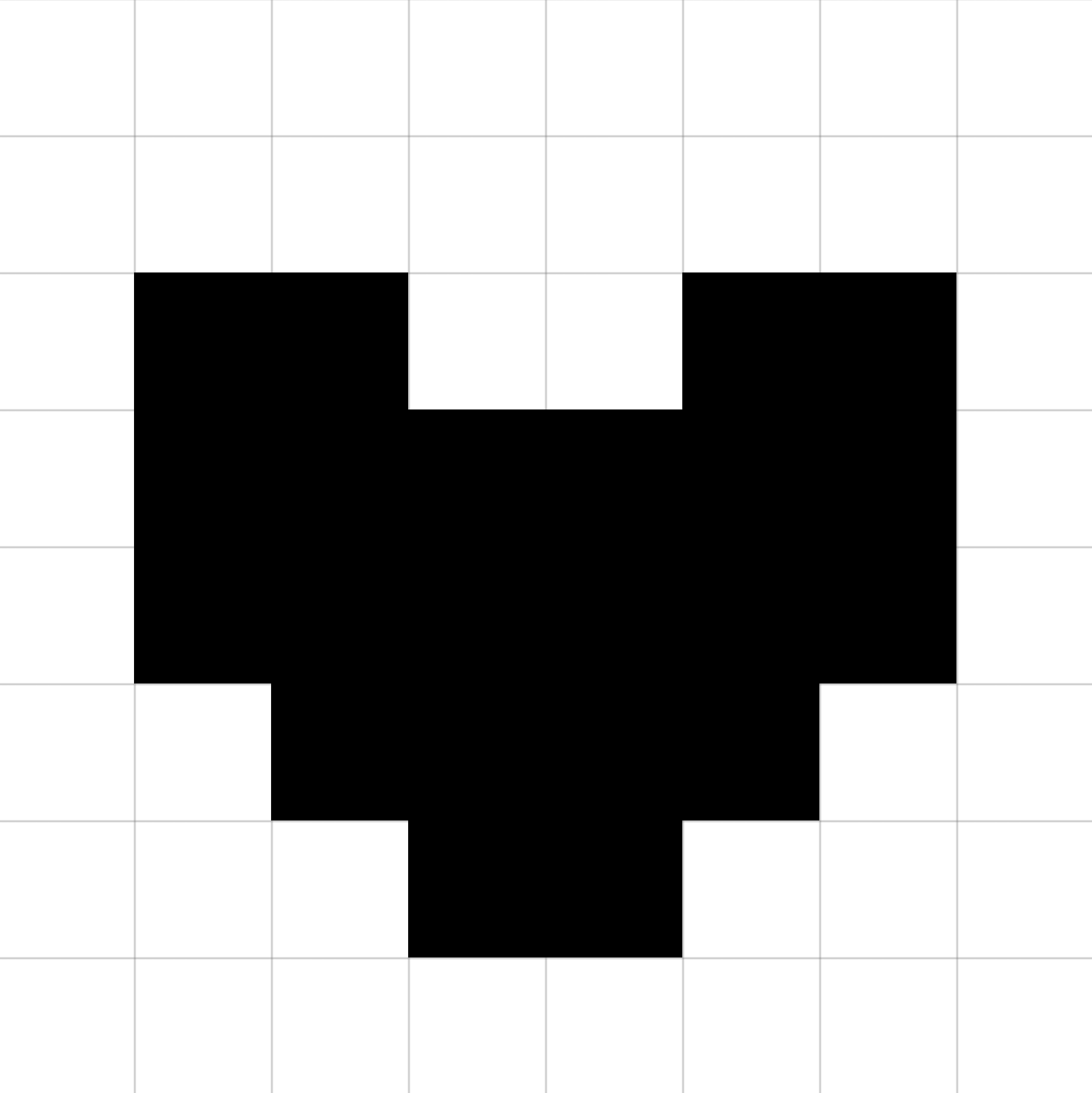
Two things to note:
The pattern of representation only exists in the context of a decoder (i.e. you). A bit pattern by itself is meaningless, but if someone can decode it information emerges.
The information of this pattern is not represented in the 1s or in the 0s individually, but with both. e.g. it’s easy to say “the 1s in this image are where the heart is stored”, but that would be missing the point. The heart appears because there are 0s around it to give it shape as well! This is the Principle of Duality rearing its head again.
So we can think of the data of this image being the 64 bit string, and fundamentally, this is how all images on your computer (or phone or whatever) are stored: as a series of 1s and 0s. The way I’ve encoded the heart image is in a format known as bitmap, but even more complex formats like png and JPEG still encode their data as a series of 1s and 0s.
This is an important distinction: there is a separation between data and the format. If you have one, but not the other, you cannot understand the representation. So it may be more appropriate to say, “on the inside, computers think in specific formatted patterns of 1s and 0s as to build appropriate representational context”, but that’s a little too verbose, so the format bit is taken as a given.
Letters and words also have common formats. You may have heard of or be familiar with ASCII, which is a standard way to encode 8-bit strings of bits to individual characters. For example, the letter ‘a’ in ASCII is represented as 01100001. So if I were to take our heart image, which is just 64 bits, or 8 bytes, they could be represented in ASCII as “3~~<”. The point here again is that the data without the proper format is meaningless.1
There are many other formats for data computers use to represent everything from numbers to audio files for songs. Basically, anything you’re seeing on your computer right now has a specific format to represent the data in a particular way. Think about that for a second, because it’s something that we forget after getting very accustomed to using computers. All the data in your computer is represented as a series of 1s and 0s with special formats to help decode them.
Now hopefully what I’ve said so far isn’t too farfetched. You might have some questions like: Why binary? Why aren’t computers implemented with 10 digits like many human counting systems? There are a number of reasons for this in terms of physical implementation and complexity, but I’d also ask you to ponder: what makes 10 better than 2?
The other piece that I haven’t even touched on and the reason for this section’s title Motionless is because I’ve described how things are represented on your computer, but not how they change. In other words, yes, we can describe an image or an audio file as a series of bits, but how does the computer actually work? How does an audio file get on your computer in the first place or how do images move around?
Moving Bits
A computer that can’t communicate with the outside world is rather pointless. After all, what data would it have to compute if it couldn’t receive new information? Fundamentally, a computer is in the business of transforming and it does this, very simply, by using programs.
Programs are written by humans, and they’re specific instructions: often at a very low-level for a computer, like move some bits from one part of memory to another. But you can think of a program as a sequence of instructions that a computer follows, line-by-line, until terminating.
Here’s an example of a program:
LOAD R1, MEM[x01000]
LOAD R2, MEM[x01001]
ADD R3, R1, R2
STORE MEM[x01002], R3
This program takes some bits from one part of memory (0x01000), and stores it into a register called R1. Then it takes some bits from another part of memory (0x01001) and stores those into a different register R2. Finally it adds those bit strings together (by representing them as numbers) and puts the result into R3. Then it stores the value of R3 into another part of memory (0x01002). So in total, this program adds two numbers. Brilliant.
Modern coders and software developers write in what are known as high-level languages, and almost never write in the direct programming language of the machine. There’s a number of reasons for this, but we don’t need to get too deep into why. The important thing to remember is that all high-level programs eventually get run as programs like the one I described above.
For example, the language C++ might represent the program I wrote above in one line like:
int z = x + y;
But even this C++ one-liner would compile down to an equivalent machine level program (similar to the one I wrote above).
A computer’s CPU (Central Processing Unit) has a set of instructions (like LOAD, ADD, STORE, and many more), that it uses to operate on memory and on strings of bits, and it has some functional units to help it actually carry out those operations like an arithmetic logic unit (ALU) to add numbers. This is what every single computer is at its core. Nothing more, nothing less.
And what exactly is a gaming console? What exactly is the Nintendo Entertainment System (NES)?
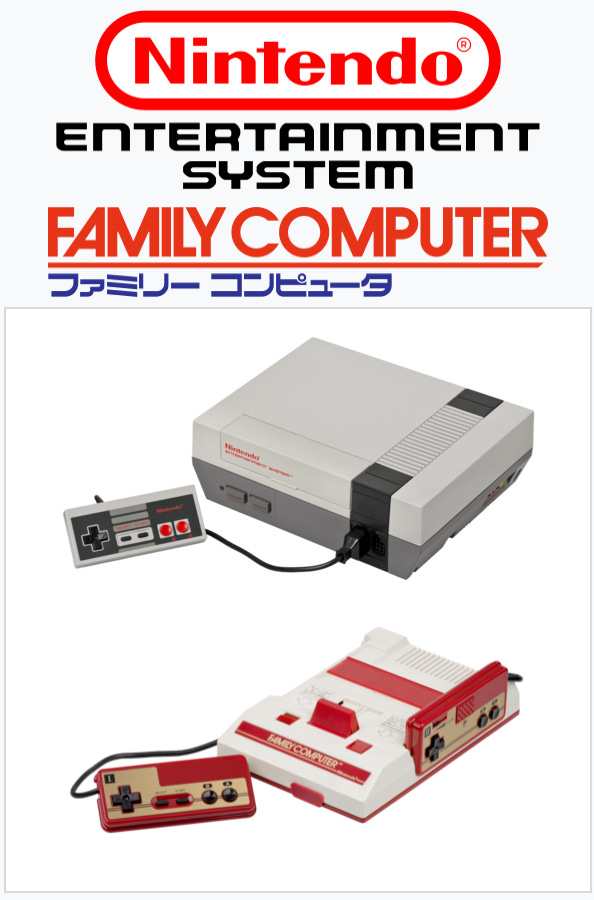
The NES, Super Nintendo, and every gaming console are computers and the games they run are programs.
This may not be news to you, but when I first realized this it felt very profound. The CPU that ran on a Nintendo could also be used to run programs on a personal computer2, but something still felt a little off about the whole thing. Let’s go over the facts:
My computer at home can do a lot more than play games. It can connect to the Internet, it has its own screen, and it can let me write my own programs. My Nintendo doesn’t let me do any of that.
I can just start my computer without a CD-ROM or anything, but I can’t start the Nintendo without a cartridge.
The only way I can really interact with a Nintendo is via a controller. My computer has a keyboard and a bunch of other things too (like a microphone, a mouse, etc.).
So is the Nintendo actually a computer? Yes! It’s just a specialized one. Internally it’s also running programs, but just one at a time (the program of the cartridge). Its input & output (I/O) are limited to a handheld controller instead of a keyboard, but it’s still processing data in the same way. And although it doesn’t let you write your own programs, that may have been a deliberate decision by Nintendo to make sure they had a proprietary license over any created games!
To summarize what we’ve learned so far here’s what we know about bits:
Combined with a format, they can represent information to some other entity. This could be a person or it could be some software or hardware component in your computer (e.g. the screen or microphone).
Bits are transformed and moved dynamically via programs in a computer.
Anything that is on the computer exists as a set of bits with some appropriate format.
But the third point triggers an interesting idea: what if we could represent another computer inside our computer?
Virtual Bits
Alan Turing was pretty badass. In addition to helping defeat the Nazis3, he also invented the modern conception of a Turing Machine for computational models. This was also at a time when no computers existed, so his machine was entirely theoretical. In fact, in his original formulation, his computer was an actual human moving running the machine “slavishly in a desultory manner”. His theoretical Turing Machine was simple and consisted of:
An infinite tape of symbols. For our purposes you can think of these symbols as a program.
A processor head which reads a symbol, and then based on the symbol as well as the processor’s current state, moves to a different location or writes a new symbol on the tape.
A set of finite states the machine can be in, including a special halt state that terminates the entire process.
The surprising piece is that this very basic model is capable of implementing any computer algorithm. When Turing was thinking about his machine, he was imagining scenarios like whether or not a program would cause the machine to never reach a halt state (i.e. for the processing head to just get stuck in a loop and never terminate). For example, a program like “calculate the sum of 2 and 3” would immediately yield 5 and halt, but something like “calculate every prime number and output them” would never halt (because there are an infinite number of primes). Now here’s the twist: Turing asked, “Is it possible to build a Turing Machine that can understand from the outset whether any given program would loop forever or halt?”
He understood that in order for one machine A to decipher whether or not a program would cause another machine B to loop forever, A would have to try and “process the program as if it were B”. In other words, A would have to virtualize B inside itself. Turing proved that no such machine could exist and that the Halting Problem was undecidable.4
However, even though the Halting Problem is undecidable, this doesn’t mean that virtualization is impossible; in fact, humans are very good at doing this! You do this every time you imagine what it’s like to be in someone else’s shoes, or imagine someone else’s response before you say something out loud. Sometimes we even virtualize twice: when you’re driving and you see a pedestrian who might be about to cross, you’re not only determining whether or not they’re trying to cross, you’re also thinking “Do they see me and if so, do they understand my current trajectory and speed and based on that are they going to cross early?” In other words, you virtualize yourself in your virtualization of the pedestrian!
Another term we use as a stand-in for virtualization is simulation. To simulate something accurately, your model has to be extremely accurate. When we simulate real-world phenomena, this is often impossible to do perfectly, because we can’t simulate atoms. However, as we’ve learned, the atoms of a computer are just the bits of data (its memory). A computer is nothing more than its data and a CPU that can transform or process these strings of bits.
So now we’re nearly at an answer. The answer to how a Super Nintendo emulator on your computer works:
The computer simulates the Super Nintendo and provides you a way of interacting with the simulation.
If we take a step back and look at the word emulation, we see that that’s exactly what’s happening. An emulator is software that recreates the exact behavior of the Super Nintendo’s CPU and graphic chips (i.e. the processing of bit strings). Because the cartridges are just static bits, if someone, say, pirated a bunch of these games and uploaded the cartridge data to the Internet, an emulator could play them the exact way a physical Nintendo could. It would just be entirely in a digital realm (e.g. your laptop).
Beyond Bits
Years after my first foray with emulation software, after I had taken some classes, read a bunch about computers, and finally felt like I understood them, I decided to build one myself. So I implemented a Nintendo emulator and called Sushant on the phone to talk about it. At the time we lived on opposite ends of the country, but had kept in close touch over many years (and still do!). We chatted about how the software worked, what the intricacies and difficulties were of emulating a processor from the 1980s and we eventually dove into a detailed discussion on how the controller input worked:
Me: The gamepad controller works through a memory map. Effectively it listens for button inputs that are written to a specific memory address, and so for the emulation I wrote a function which listens for inputs from your keyboard and writes them to that specific address.
Sushant: Oh interesting! Does that mean that your function could, in theory, listen for inputs not just from your keyboard, but from other devices as well?
Me: Yeah exactly! So if we connect a USB controller, the function can listen for inputs from the USB port, and write those to the address to emulate a button press.
Sushant: Neat, and does that mean it could listen for inputs from a completely different physical location? Like say, my computer?
Sushant’s incredible insight gave me pause and I realized we could build something entirely new. I quickly wrote an extension of the function: instead of just being able to listen to the keyboard of the computer it was running on, it would listen for inputs on an Internet port. I then launched the emulator on a cloud server and had Sushant and I connect to it as clients from our individual laptops. The cloud instance ran the actual emulation, listened for keyboard inputs streaming over the Internet from our laptops, and then streamed back the images from the game we were playing to each of our laptop screens individually. I smiled giddily. Even though we were 3,000 miles apart and decades away from our childhoods, we sat down to play like we did the first night we met.
It’s only coincidence that the ASCII characters were very close to <3 I swear!
In fact the Apple II ran on the same 6502 processor as the NES!
See Alan Turing and the Hidden Heroes of Betchley Park for details
Honestly I still think most fascinating part of this is that Turing discovered this all in the 1930’s before any physical computer had even been implemented. Watch this excellent video on the Halting Problem if you’re curious about how Turing figured this out.
This is awesome! :)
Regarding the question on why computers use 2 digits instead of 10, it's important to keep in mind that computers don't contain numbers but instead physical components. A certain state of a physical component is mapped to a 0, the other to a 1.
For example, Compact discs (CDs) contain tiny indentations (pits) next to regular areas between these pits (lands). A change from either pit to land or land to pit indicates a 1, while no change indicates a series of 0s.
If we wanted to use a 10 digits system here, we'd have to find a why to differentiate between 10 different physical states. Naturally, this is quite complex. Instead, it's easier to use a binary system.